
Features and functions of Collaboard
Collaboard is an online whiteboard for visual collaboration. With Collaboard you can collect ideas, plan and execute your projects and gather all information on an infinitely large work surface.




























Key features of Collaboard
Collaboard offers a variety of whiteboard functions that will revolutionize your teamwork. Use the infinitely large whiteboard canvas for limitless creativity. Create and edit shapes, tables and documents directly on the whiteboard. Add images, videos and audio recordings to present your ideas visually and acoustically. With the powerful facilitator functions, you can create optimal digital workshop and meeting experiences - remote, hybrid and on-site.


Infinitely Large Whiteboard Canvas
Use an infinitely large whiteboard canvas for limitless collaboration. From the idea to the concept to the project, you can display everything on one board. Zoom in and out for a detailed view or the big picture.

Sticky Notes
Use sticky notes in different colors and shapes to clearly structure topics or simply to brainstorm.

Digital Drawing & Sketching
Write and draw digitally on the whiteboard to visualize your ideas. Use 5 different digital pens and an infinite number of colors for creative and precise sketches.

Mindmap
Create mindmaps on your whiteboard with a few clicks. Customize your mindmap in many different ways, and go beyond classical whiteboarding to create concept maps, org charts, and much more.
Shapes
Create and use shapes for visualizations on the whiteboard. Choose from different shapes, adjust the size and arrange them for clear visualizations.

Documents
Upload Word, Excel, PowerPoint and PDF documents and view them directly on the whiteboard. Integrate your files seamlessly into your collaboration processes.

Tasks
Create tasks on the board and assign them to users, including start and end dates. Add detailed descriptions and set task priorities. Ideal for efficient task management on Collaboard.

Pictures
Upload images, take them with the camera or add them via the image search. Use versatile options to integrate visual elements on your whiteboard.

Videos
Upload videos, record them with the camera or search directly on YouTube. Integrate different video content to make your whiteboard interactive and appealing.

PDF Import
With the PDF import feature, you can directly import boards from Miro, Mural, and other whiteboards into Collaboard. You can also add any other PDFs. The imported content becomes editable elements in Collaboard, which you can easily adjust and continue working with.

Tables
Create and edit tables directly on the whiteboard. Organize data clearly, adjust columns and rows and use them for structured presentations and analyses. Export tables from Collaboard to Excel.

Embedding
Embed external content directly into your whiteboard. Seamlessly integrate websites, videos and other media to make your collaboration even more versatile and interactive.

Templates
Use over 150 templates from Collaboard and the community to get your projects off to a quick start. Find suitable layouts for meetings, brainstorming sessions and much more.

Audio
Record audio directly or upload MP3 files. Use this function to integrate voice notes, instructions or discussions directly on your whiteboard.

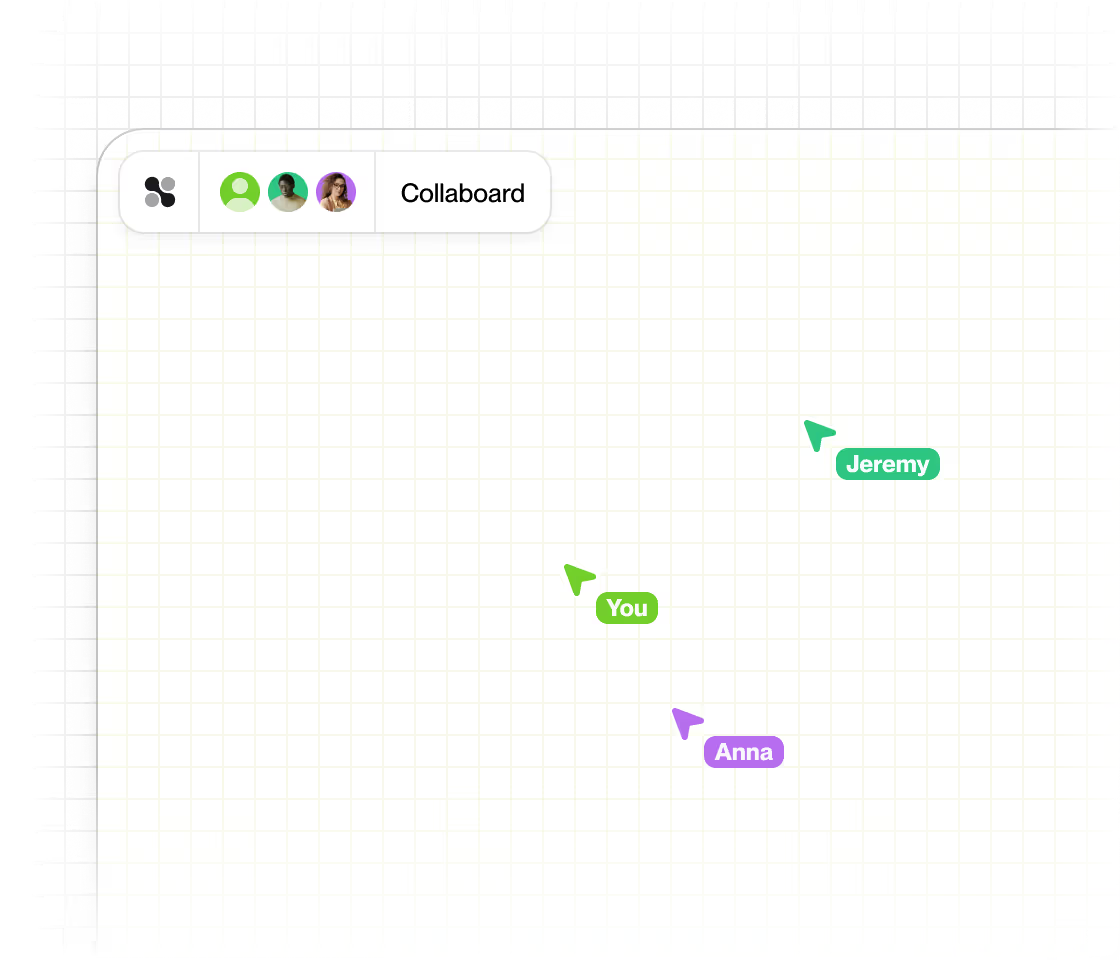
Mouse Pointer Display
Display users' mouse pointers to show their presence and activities on the whiteboard. Get a clear picture of who is working where.

Lines
Draw lines to create connections and visualize relationships. Use them for mind maps and flowcharts to present ideas and processes in a clear and structured way.

Comments
Create comments freely on the whiteboard or attach them to elements. Mention other people in your comments to give specific feedback and comments.

Frames
With the Frame feature, you can organize content on the whiteboard clearly and highlight specific areas. Frames help you arrange topics, group content, and guide your board step by step like a visual presentation.

Board Export
Export your whiteboard as a PDF, in various image formats or as a .csv file. Share your work results quickly and easily for better collaboration and presentations.

Tape
The tape feature in Collaboard brings the well-known Facilitape® method into the digital world: With virtual tapes, you can mark areas, visually structure topics, and make creative processes even clearer.
Facilitator features
Collaboard offers a variety of moderation functions to make your meetings and workshops effective. Draw participants' attention to important areas. Set timers for time-bound tasks. Use the comment function for targeted feedback. Start presentation mode to keep all participants synchronized.

Voting and Rating
Use the voting and rating function to gather opinions and make decisions. Collect feedback directly on the whiteboard. All votes are anonymous and saved.

Timer
Set a timer to structure your meetings and set time limits for tasks. Keep your team focused and efficient by keeping track of time.

Presentation Mode
Use the presentation mode so that all participants follow the presenter on the whiteboard. Replace screen transmissions and enable a seamless, joint presentation.

Attract Users' Attention
Draw users' attention to a specific area of the whiteboard. Focus specifically on important content and keep all or selected participants synchronized.

Laser Pointer
With the virtual laser pointer, you can temporarily highlight content on the whiteboard and direct your team's attention exactly where it's needed.

Focus Mode
Use the focus mode to hide all elements of the user interface and concentrate fully on the content of the whiteboard. Achieve maximum productivity without distractions.

Lock
Lock elements on the whiteboard to protect them from changes. Keep important content unchanged and ensure more control and clarity during collaboration.

Pin
Pin content to the whiteboard to prevent it from moving while still allowing changes. Maintain the position of important elements and still work flexibly.

Hide
Show and hide objects on the whiteboard to make specific content visible. Use this function to gradually reveal new information and maintain an overview.

Set Start View
Set a start view to define the area that users see first when they open the whiteboard. Provide a structured and clear introduction to your content.

Follow a User
With the "Follow a user" feature, you can follow another participant's view on the whiteboard.

Quick Links
Create QuickLinks to jump to defined areas on the whiteboard quickly. Export QuickLinks as PDFs or use them for slide-like presentations in presentation mode and as handouts.
Management features
Collaboard offers extensive whiteboard management features to optimize collaboration in your team and ensure maximum security.
Manage access rights in detail, use the activity log to track changes, save and restore different versions, organize whiteboards in rooms and tag them for easy organization and findability. With these tools, you stay in control and ensure a structured and efficient working environment.

Activity Logbook
Use the activity logbook to track all actions and changes on the whiteboard. Keep track of user contributions and ensure transparency and traceability.

Versioning
Save and restore different versions of the whiteboard. Use versioning to track changes and return to previous states at any time.

Invite People
Invite other people to collaborate on your whiteboard. Invite them as registered users or as guests and define what rights they have on the board.

Background Color
Freely customize the background color of the whiteboard. Choose the perfect color to highlight your ideas and create a pleasant working environment.

Spaces
Create and manage rooms to organize whiteboards for teams. Control access rights centrally and keep track of collaboration within your team.

Notifications
Collaboard features an in-app notification center that displays alerts for assigned tasks, mentions in comments, and system updates.

Permission Management
Manage the rights on the whiteboard: Assign moderation rights, editor rights or viewer rights. Control who can change, add or only view content.

Tags
Add tags to whiteboards to make them easier to organize and quicker to find. Use tags to categorize your projects efficiently and keep track of them.
Security features
Security is at the core of Collaboard. From data protection and access control to secure hosting and compliance with international standards, Collaboard is designed to meet the highest security requirements.

Two-Factor Authentication (2FA)
Collaboard supports Two-Factor Authentication (2FA) to add an extra layer of security to user accounts.

Data Protection & Encryption
Collaboard protects your data with strong encryption at every stage.

Single Sign-On
Collaboard supports Single Sign-On (SSO), allowing users to log in securely using their existing corporate credentials.
Data Security Disclaimer
Create your own data protection disclaimer and inform users which data may and may not be used on the whiteboard. Ensure clarity and security when it comes to data protection.

Duration for Sharing Links
Decide for yourself which default values for the validity period of invitation links to whiteboards are available to your users.

Audit Logs
Collaboard provides detailed audit logs that give administrators full transparency into user and system activities.

Guest Access Control and Restrictions
Collaboard gives organizations full control over guest access and board sharing.
Customizations
Collaboard allows customers to make various customizations to meet the individual requirements of your company.
From the integration of your own logo and color scheme to the definition of default values to the deactivation of guest users and the integration of your own data protection disclaimer. Further customizations are available on request to provide a whiteboard solution that is perfectly tailored to your needs.

Branding
Collaboard allows organizations to tailor the look and feel of the platform to their brand.

Enable / Disable Features
Activate or deactivate functions in Collaboard according to your needs and data protection regulations.

Custom Fonts
Collaboard allows organizations to upload their own custom fonts and use them across the entire workspace.

Default Colors
Collaboard allows standard colors for all users in the workspace.

Hosting Options
Collaboard offers flexible hosting options in the cloud and on-premises to ensure maximum security and data protection.

Microsoft Azure Cloud (Switzerland)
Hosting at Microsoft Azure Switzerland, where all data is stored in Switzerland.

On-Premises
Host Collaboard yourself and gain full control over all data.
Microsoft Azure Cloud (Netherlands)
Choose hosting with Microsoft Azure Holland for the most cost-effective version of Collaboard.

T Cloud Public (Germany)
Benefit from 100% data sovereignty in Europe with hosting by Deutsche Telekom, fully independent of US providers. This version ensures data minimization and reduces user tracking to an absolute minimum to protect your privacy.
Integrations
Collaboard follows the philosophy that the whiteboard can be used wherever your users work together. Whether in a chat solution, during a video conference or in a comprehensive collaboration tool - Collaboard integrates seamlessly into your existing working environment. This allows you to work on your ideas and projects efficiently and flexibly, regardless of which platform you use.

Cisco Webex
Integrate Collaboard effortlessly into Cisco Webex. Add whiteboards directly to spaces as a tab, start a whiteboard during a Webex call, or use Collaboard as a standalone app in Cisco Webex.
Collaboard MCP Server
The Collaboard MCP Server allows AI tools such as ChatGPT, Claude, and other AI assistants to connect securely with Collaboard.
.svg)
Confluence
Embed Collaboard whiteboards directly into the Confluence interface. Integrate visual collaboration seamlessly into your documentation and knowledge management.

Jira
Connect Collaboard with Jira to bring visual collaboration and task management together. Import Jira issues into your whiteboard, organize them visually, and keep teams aligned during planning, workshops, retrospectives, and project reviews.
.svg)
Microsoft Teams
Integrate Collaboard seamlessly into Microsoft Teams. Add whiteboards directly to channels as a tab, start a whiteboard during a Microsoft Teams call, or use Collaboard as a standalone app in Microsoft Teams. The Microsoft Teams integration supports all Collaboard hosting options, including on-premises.
Nextcloud
Use Collaboard directly in Nextcloud with a plugin. Integrate whiteboards seamlessly into your Nextcloud environment and gain access to Collaboard’s wide range of features.

Pexip
Use Collaboard directly in the highly secure video conferencing solution Pexip. Start a whiteboard during a Pexip call and collaborate on ideas and projects in real time. Increase the efficiency and security of your video conferences.

Public API for Customised Integration
Use the Collaboard Public APIs to create your own integrations. Extend the functionality of Collaboard and customize it to your individual needs. Enable seamless connections to your existing systems and workflows.

Rocket.Chat
Launch Collaboard directly from Rocket.Chat. Integrate whiteboards seamlessly into your chat environment and enable users to jump from conversations straight to a whiteboard.
Start your next whiteboard now
Get a free trial of Collaboard with up to 3 boards and five people per session. All key features are available for you to try out.

