What do you want to do with a mindmap?
I want to learn more about mindmaps ↓
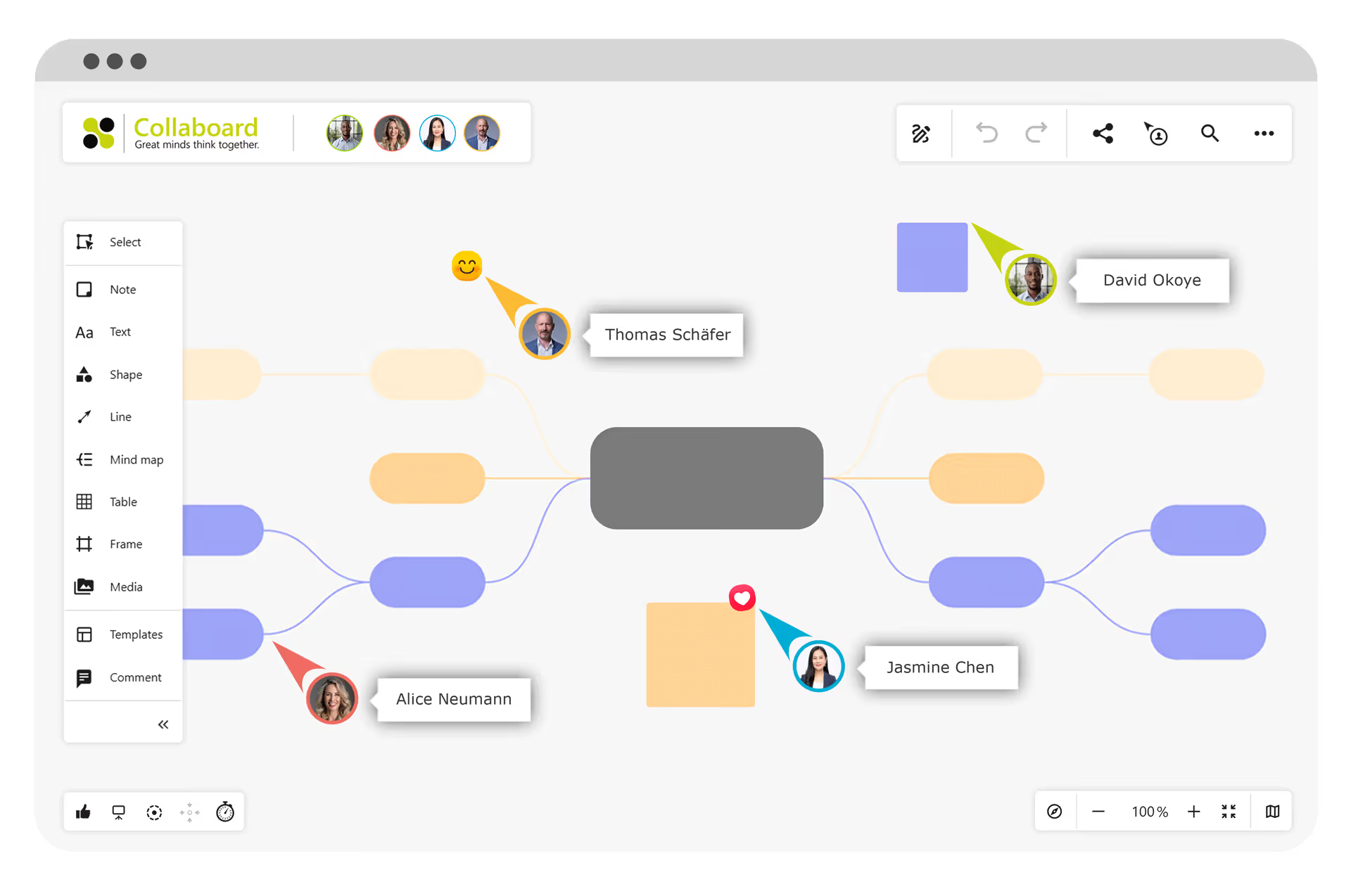
How do I create a mind map?
A mindmap can easily be created on a sheet of paper, on a flipchart, or on a whiteboard. If a mind map is created analogously, however, one quickly encounters space limitations and is limited in the team size that can create the mind map together.
Therefore, numerous software solutions have been developed that enable the digital implementation of mind maps.
One of the newest types of mindmap software is the online whiteboard. On an online whiteboard, various mindmaps can be created digitally easily and in collaborative work.
Create a mind map
In the following part, we will explain to you step by step how to create a mindmap online. For the mindmap creation, we use the online whiteboard Collaboard.
Collaboard offers an infinitely large virtual surface on which you can create a mindmap with various elements alone or collaboratively in a team.
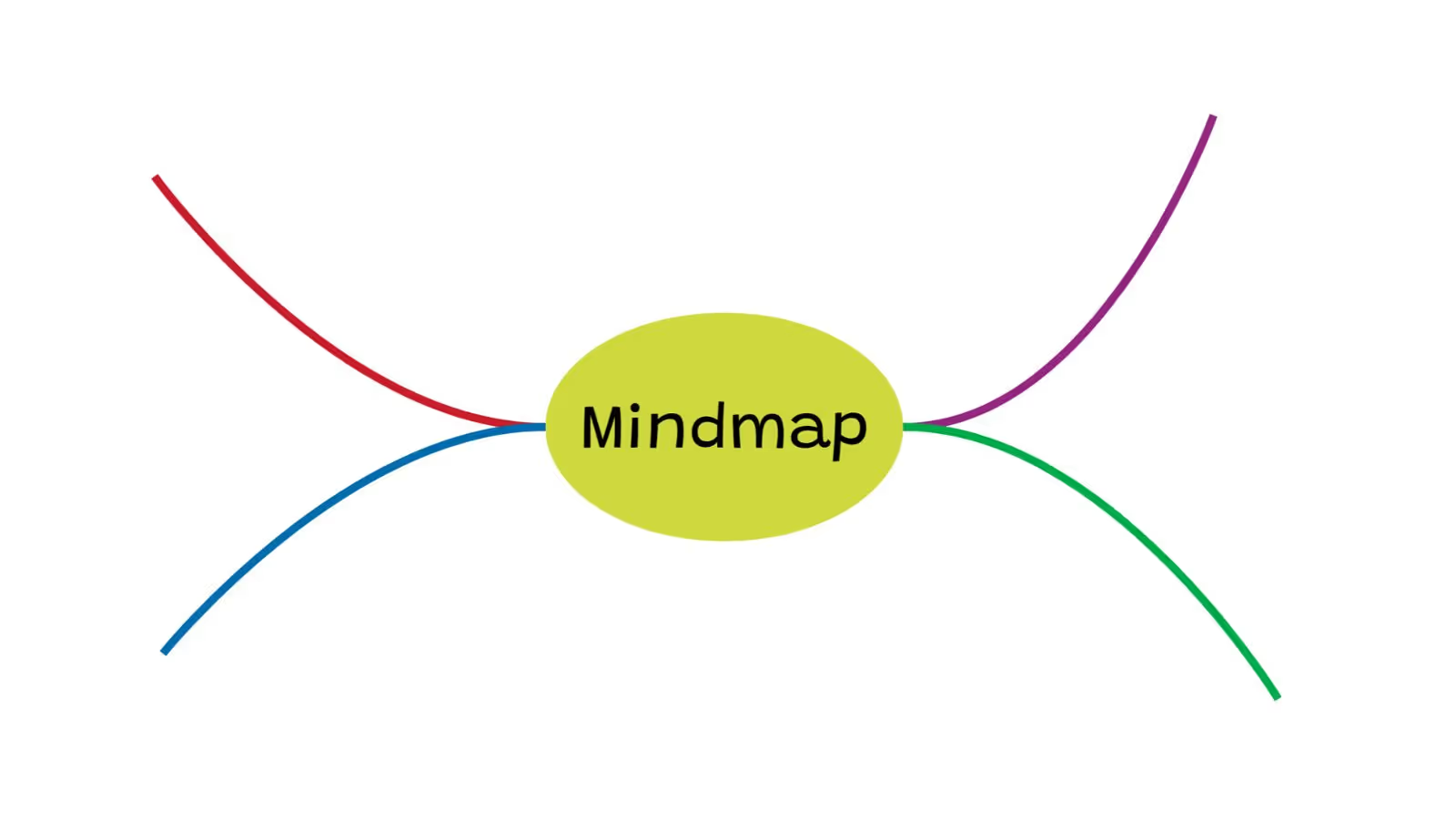
Start with the main central topic
In the beginning, determine the main topic of your mind map and create an object for it on your online whiteboard. You can use a map, a text element, a shape, or a picture.
Around this main topic, your mindmap will grow. You can start anywhere on the whiteboard, and the main topic will always be the center of your mindmap.
Add ideas and subtopics
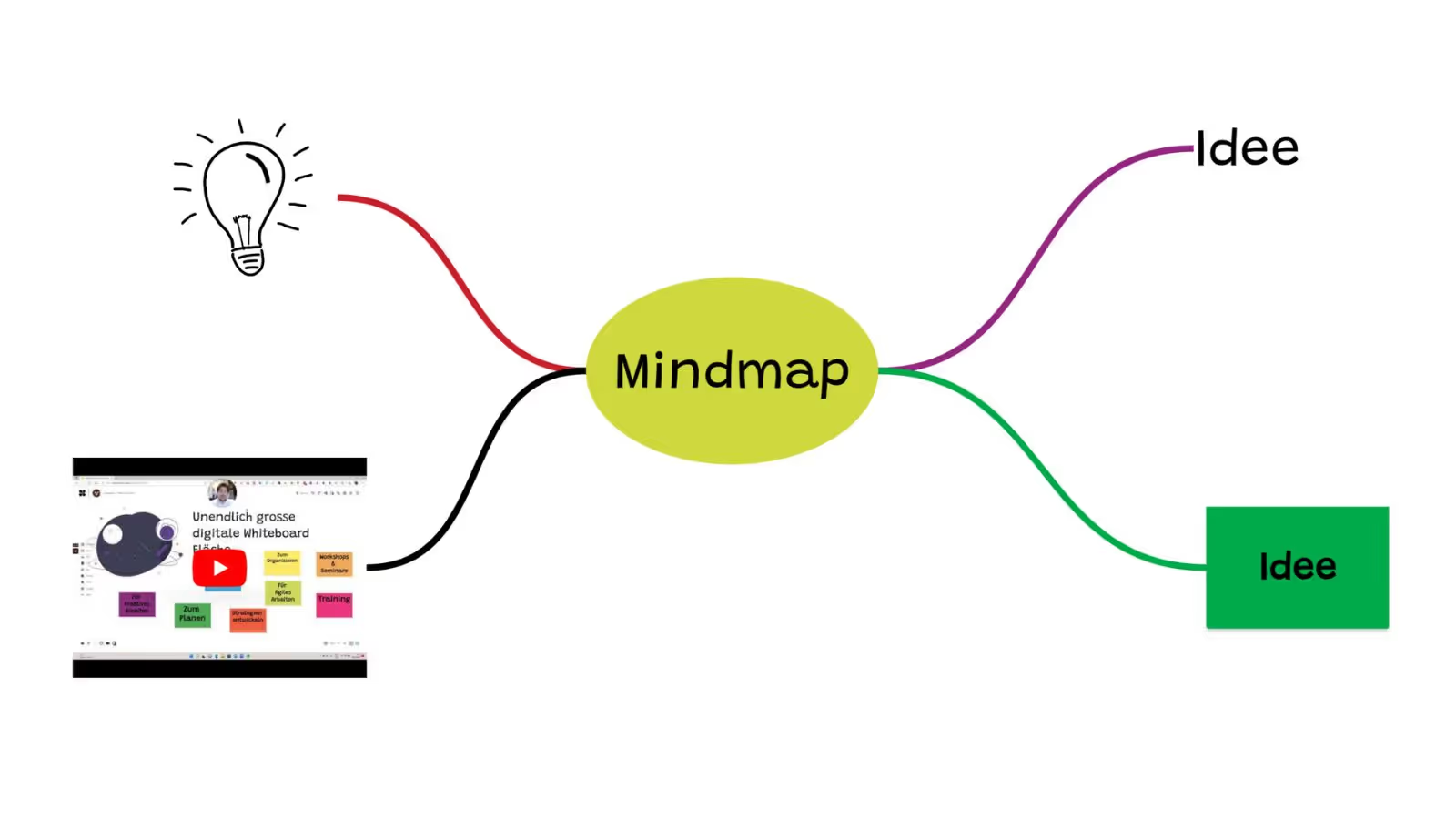
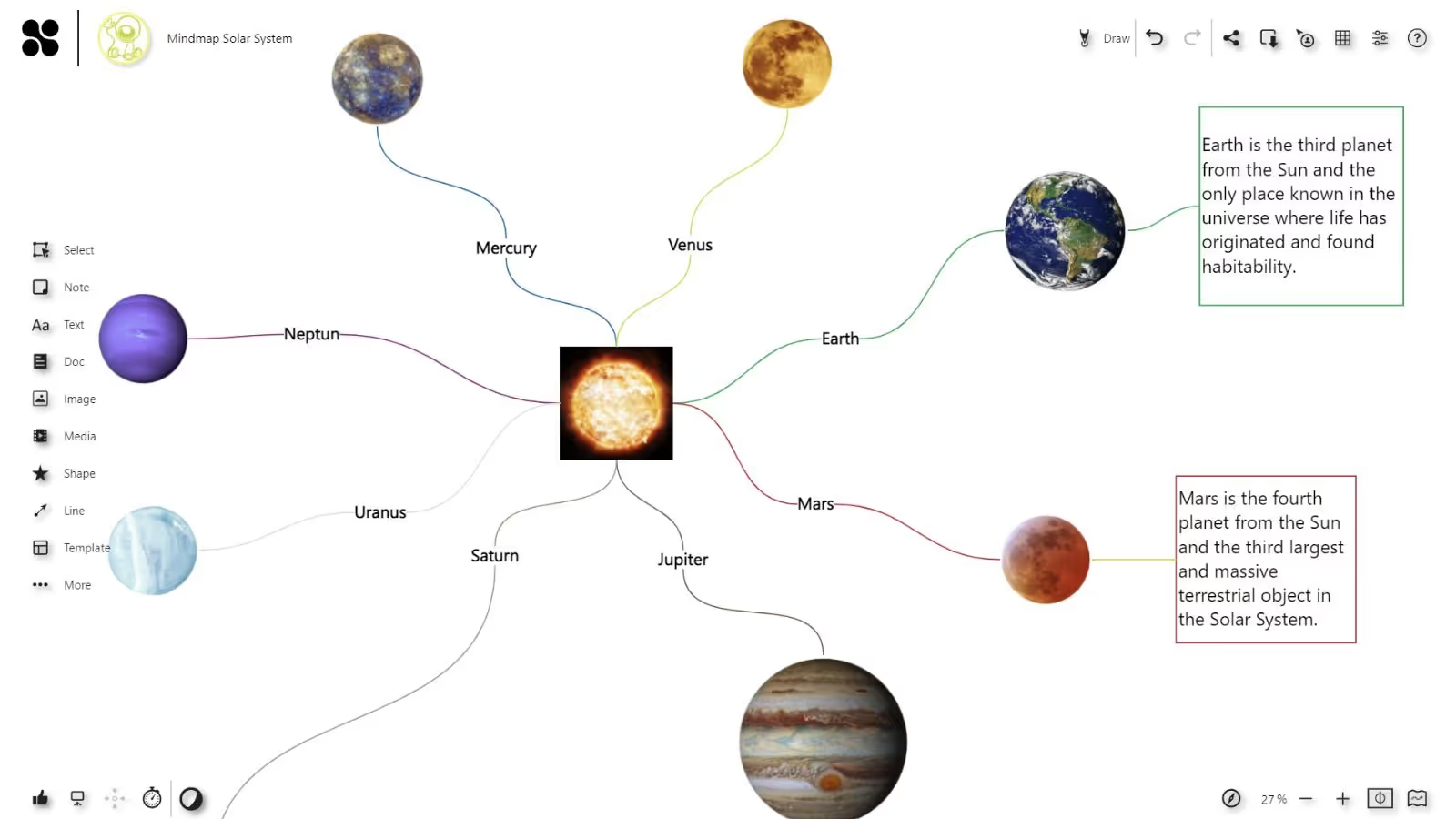
Starting from the main theme, you can now add more themes. Use the different elements and connect them to the main topic.
You can create the mind map classically with text or add images, documents, and even videos. Also, use the digital pen to give your mindmap a handwritten touch.
Customize the mind map connections and use colors for visualization
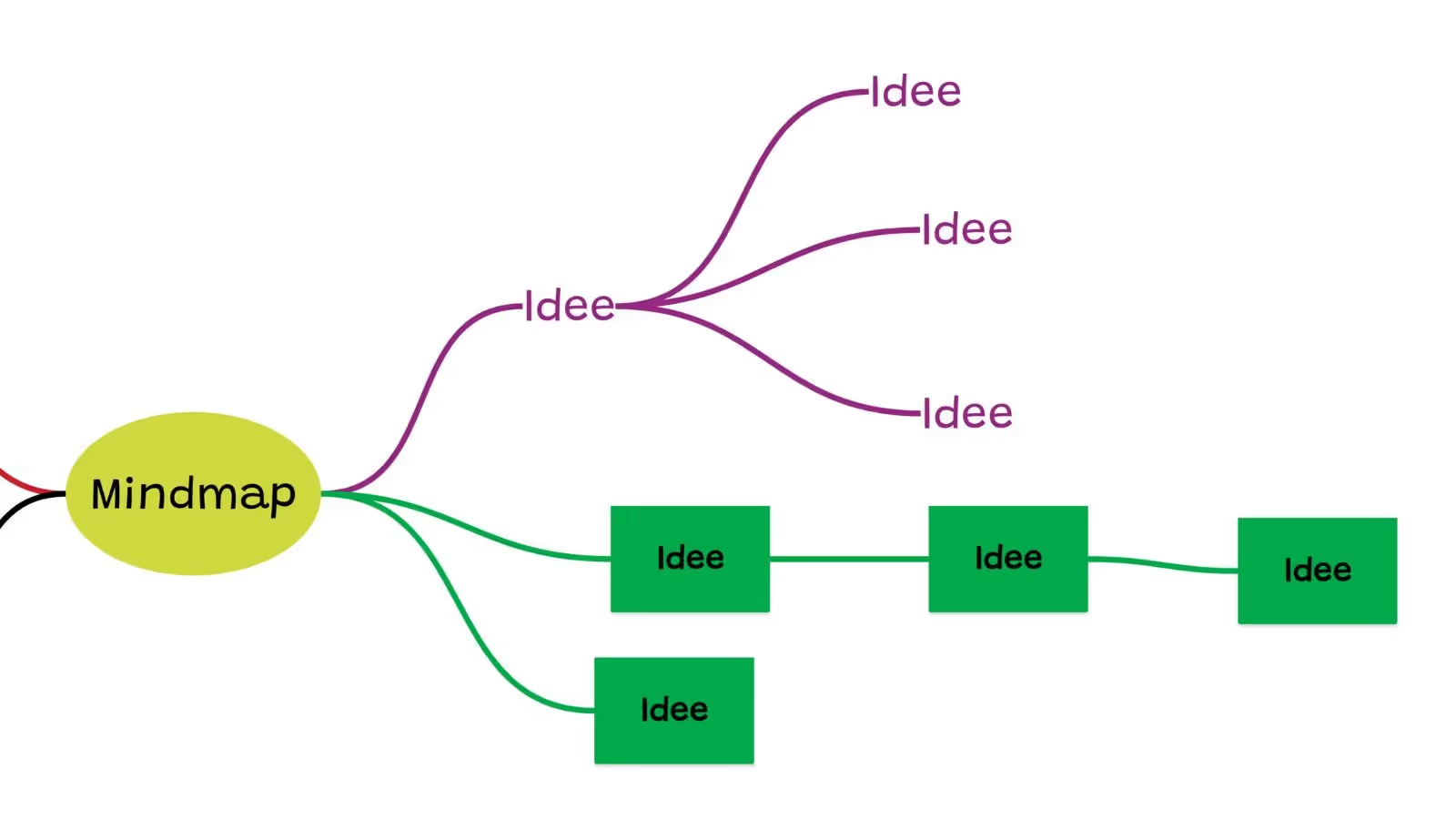
Use different colors to distinguish the individual strands of the mind map visually. You can customize the connections and elements of a strand in a color of your choice.
It is a good idea to use a different color for each strand of subtopics. This makes it even easier to see which points belong together.
Structure and organize your mind map
As your mindmap expands, it's important to structure it well. You can move whole sections from one place to another and simply reassign elements.
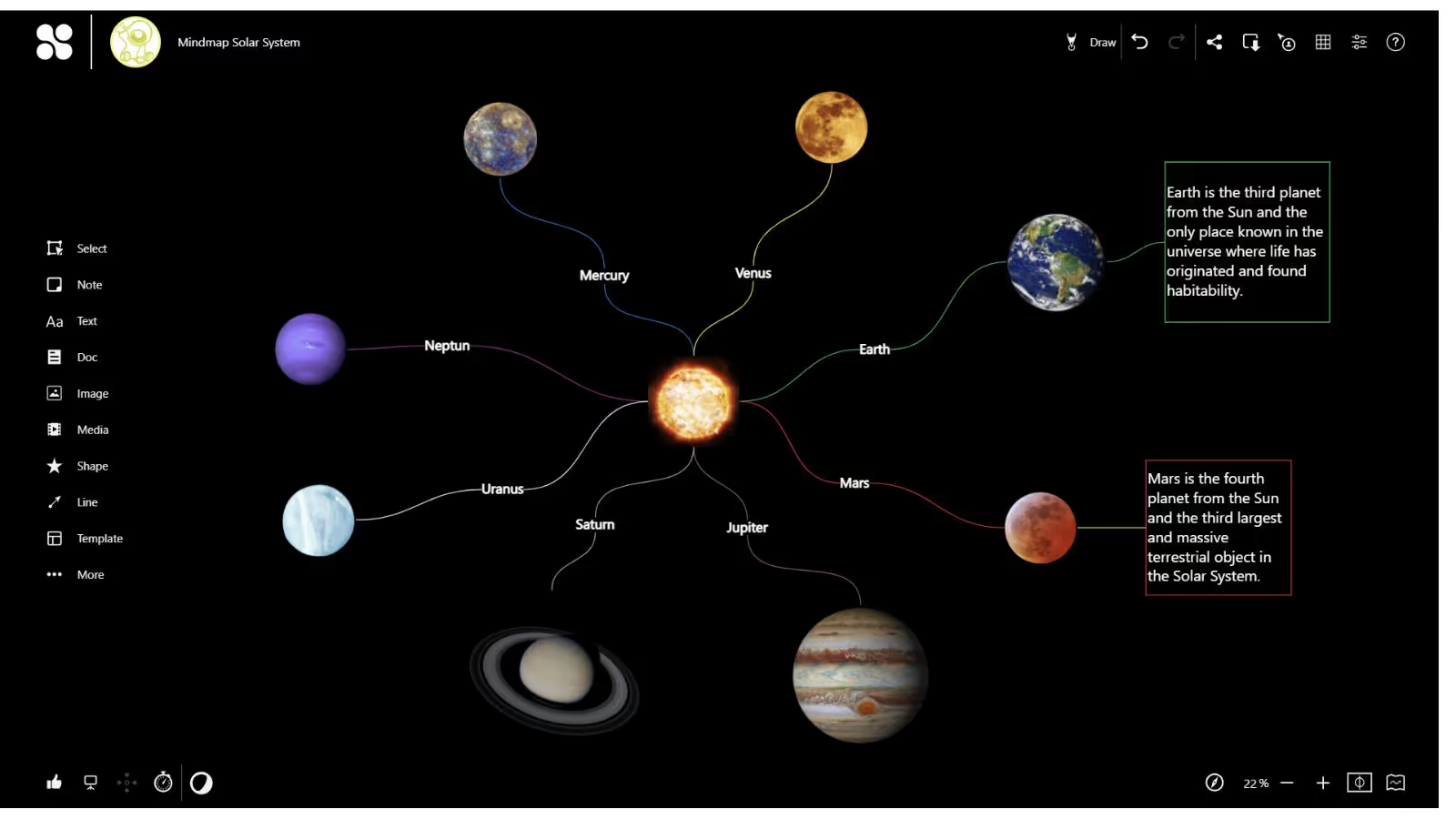
Choose a suitable background color for your mind map. Even if you work on a whiteboard, the mindmap does not always have to be created on a white surface.
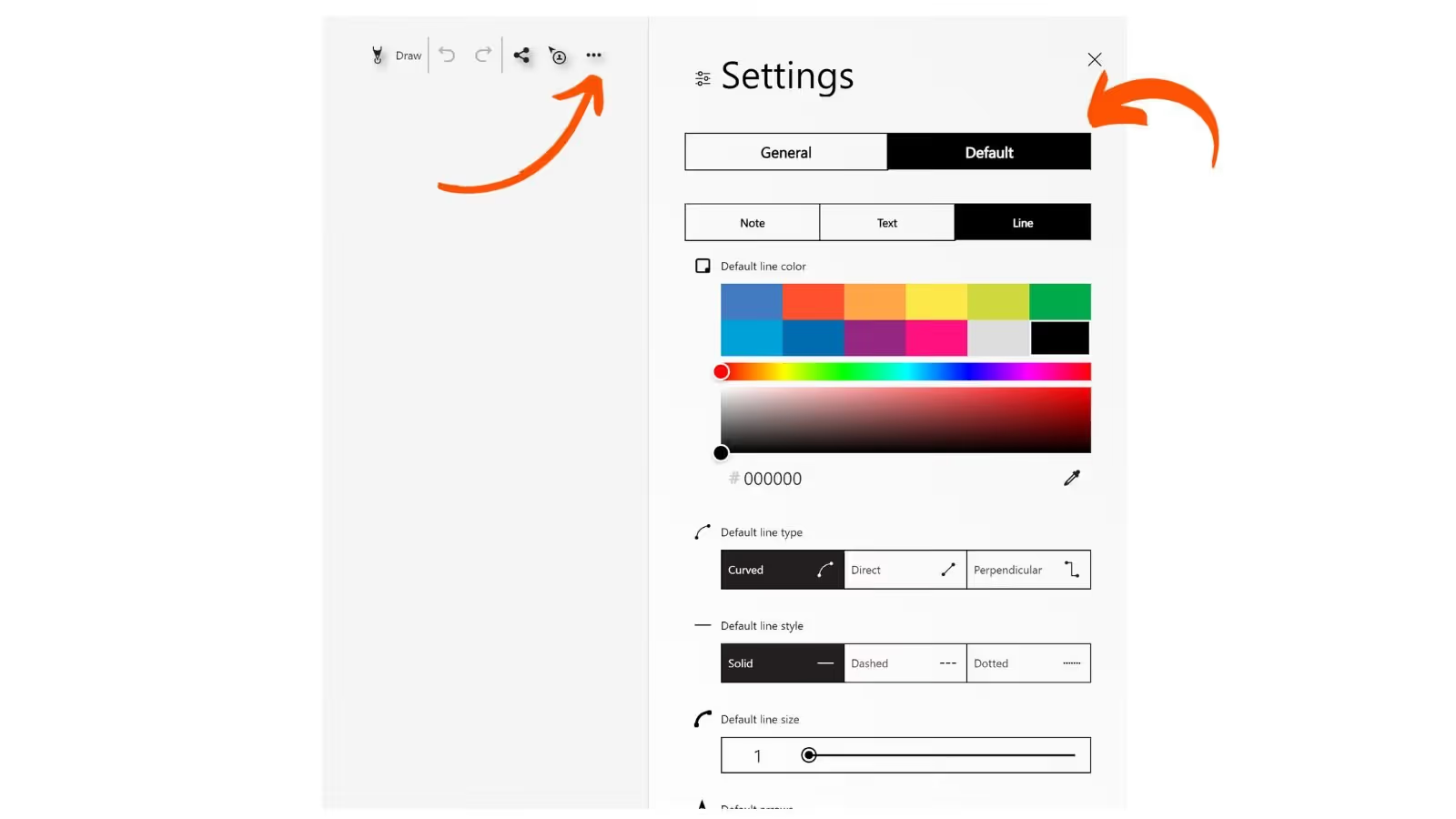
Tip: Default setting for creating mind maps quickly
To create mind maps or other diagrams with your team as quickly as possible, you can use the default settings for the connections. With this, you can determine how your new connection lines look (color, thickness, arrows, etc.) or change the look of several lines simultaneously.
Collaboard - The intuitive mindmap tool
Collaboard is an intuitive mindmap tool that allows you to visualize your ideas and concepts collaboratively and engagingly. With Collaboard, you can collaborate with your team in real-time to capture and structure complex relationships, processes, and hierarchies. Collaboard is a GDPR-compliant mindmap tool.
Collaboard, the online whiteboard, offers numerous advantages for the creation of mindmaps:
- Create mindmaps with your team.
- On the unlimited whiteboard space, mindmaps have no limit
- Create your mindmap using sticky notes, text, shapes, images, videos, and even documents
- With Collaboard, you can create your mindmap for free
Mindmap: Examples & Templates
Different types of mindmaps can have different structures and contents depending on their purpose and scope. The prominent examples of mindmaps are:
Brainstorming mindmaps: This type of mindmap is used to collect and organize ideas. Usually, no fixed rules or structures are followed and the ideas are noted in bullet points, pictures or keywords and linked together to form the mindmap.
Planning Mindmaps: Planning mindmaps can be used to organize and visualize complex projects or tasks. Clear hierarchies and structures are usually defined to maintain an overview and facilitate the planning process.
Mindmaps are an excellent way to present complex information or concepts. The visual division of a topic into subtopics makes it easier to follow the presentation and remember the content. With a mindmap, presentations become more precise and easier to understand.
Knowledge Mindmaps: Knowledge mindmaps are used to structure and visualize existing knowledge. In the mindmap, connections become quickly apparent, which makes grasping knowledge easier than reading a pure text.
Learning-Mindmaps: Learning-Mindmaps facilitate learning and improve understanding. A learning mindmap can be created for almost any topic, in which the content to be learned is presented on the mindmap in context.
Presentation Mindmaps:
Mindmap: Advantages & Disadvantages
Mindmaps offer numerous benefits as they are designed to present information to the human brain in a way that is easy to understand.
Advantages:
- Clear structuring: mindmaps make it easier to understand complex relationships. The clear visual structuring of information leads to a quick overview.
- Better memorability: Since mindmaps are a visual technique that combines images and words, they can help to retain information in memory better.
- Increased creativity: Creating mindmaps stimulates the human brain to work more associatively, resulting in ideas and connections that would not have occurred in a list of ideas.
- Improved collaboration: mindmaps are a great way to structure information with a group and develop ideas together.
Disadvantages:
- Clutter: With large and complex mindmaps, getting an overview and interpreting the many connections can be difficult.
- Distraction: If mindmaps become too colorful or too complex, it becomes difficult to concentrate on the essential information. Therefore, it is crucial to determine the level of detail in which information is recorded on the mind map.
- Limitations when there is not enough space: If a mindmap is created on a single piece of paper, then space can run out very quickly if the mindmap becomes too large. In the digital mindmap tools, this problem no longer exists.
.avif)
Mindmap definition & purpose
What is a mindmap
A mindmap is a visual representation of information that shows how ideas, concepts, and data are related.
Typically, you start with a main theme or central idea in the middle. Other subtopics are added and linked to this central idea. These links can be subdivided to show the connections between the ideas and concepts.
A mind map can be drawn by hand or created with specialized software. The advantage of a mindmap is that complex information and connections are presented intuitively and easily.
The history of mind maps
Mindmaps trace their origins to the work of Tony Buzan, a British educator and author who developed the concept in the 1960s. Buzan noticed that the human brain does not work linearly but associatively and pictorially.
That's why he believed that classic lists and linear notes are complex for humans to understand and remember.
Buzan wanted to solve this problem and developed a method to organize and visualize information in a way that better corresponds to the creative and associative thinking ability of humans. The technique he developed for this purpose he called mind-mapping.
The concept of mindmaps has spread worldwide due to its high effectiveness. Mindmaps are now universally used in various fields, such as education, business, creative work, and personal development.
For a long time now, mindmaps have not only been created on paper, but numerous software solutions support the digital creation of mindmaps. Online whiteboards are particularly suitable for this purpose, as you can work on them almost like on paper. This comes closest to the original method of creating mind maps.
On This Page
Start your next whiteboard now
Try Collaboard for free and convince yourself.
Mindmap - Frequently Asked Questions
Do you have any questions? We're here to help.
A mind map – also known as a thinking map – is an effective visual method for representing complex thoughts, ideas and associations that revolve around a central topic or concept. Compared to flowing text or bullet points, a mind map enables a clearer and more illustrative visualization of complex thinking processes.
Data privacy can play a role when creating mind maps if sensitive data is being processed. If personal information or confidential business data is included in the mind map, appropriate measures should be taken to protect it. The General Data Protection Regulation (GDPR) applies in particular to companies and organizations in Europe and should be a key criterion when choosing mind map software.
There are numerous solutions for creating a mind map online. If you use an online whiteboard, you have an infinitely large canvas and can work with images and videos in addition to text. The online whiteboard offers maximum flexibility when creating mind maps and allows you to work on it with your team in real time.
In mind mapping, a central topic is first noted in a circle, around which keywords for the individual aspects are arranged. The keywords are in turn connected to their respective aspects, creating a clear structure. Colors, symbols and arrows can be used to make connections more visible, and priority lists or action plans can be derived from the mind map.
A mind map is a visual representation of thoughts and ideas organized around a central topic or concept. It resembles a tree diagram with branches and sub-branches representing the various concepts and their connections.
There is no fixed rule for how a mind map must be created, so creativity and flexibility are key. Most people start with a central topic positioned in the middle of the mind map, with all other topics and ideas arranged around it. Consider whether you are creating the mind map alone or working on it together with others in real time.
Start your next whiteboard now
Get a free trial of Collaboard with up to 3 boards and five people per session. All key features are available for you to try out.


