
Cisco Webex Integration with Collaboard
Create an integrated collaboration experience with Webex and Collaboard.


Collaboard App for Webex
With the Collaboard app for Webex, you bring the complete Collaboard whiteboard experience directly into your video conferencing solution. You can open Collaboard directly within conferences or add it as a tab in the "Spaces".
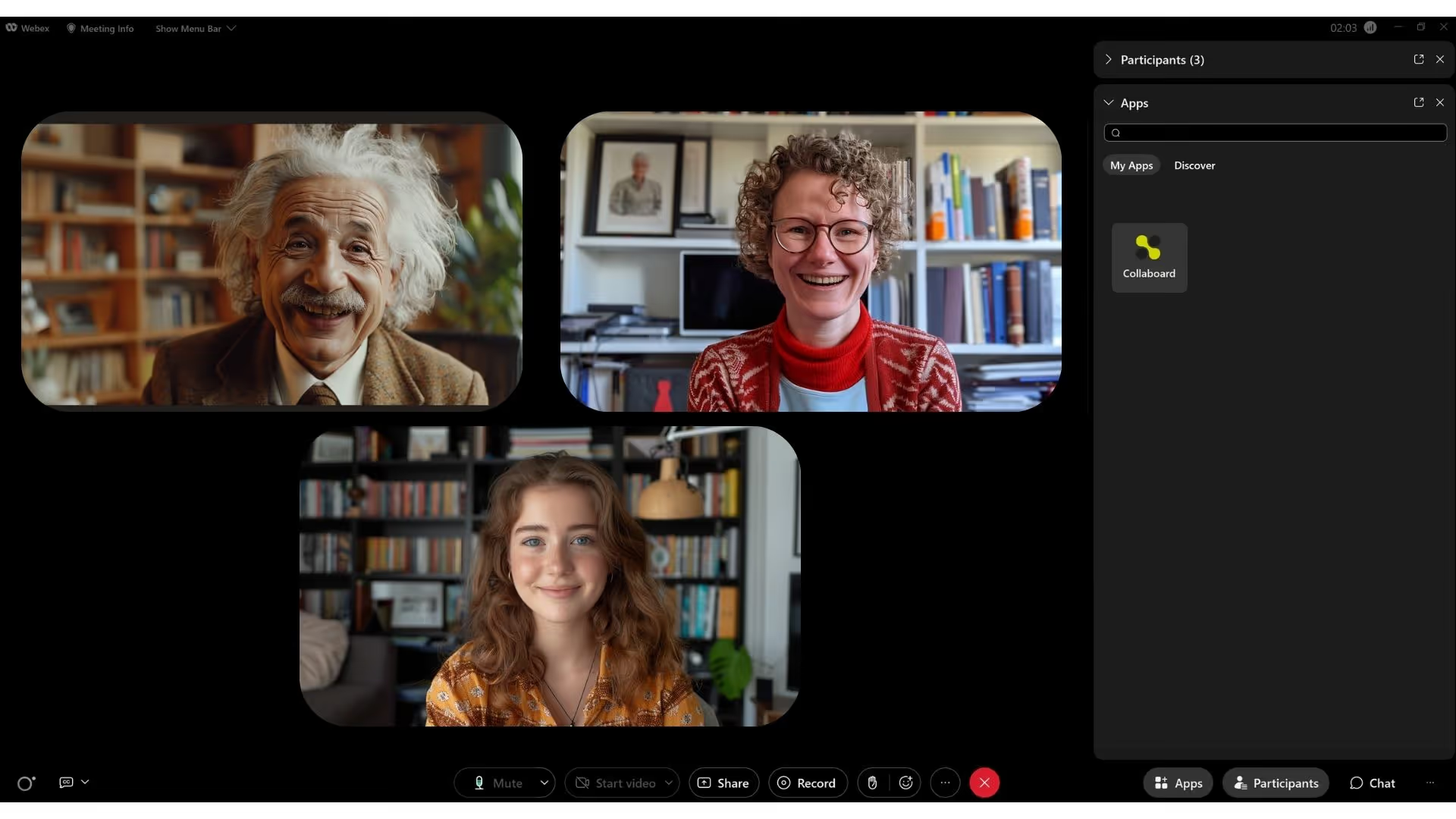
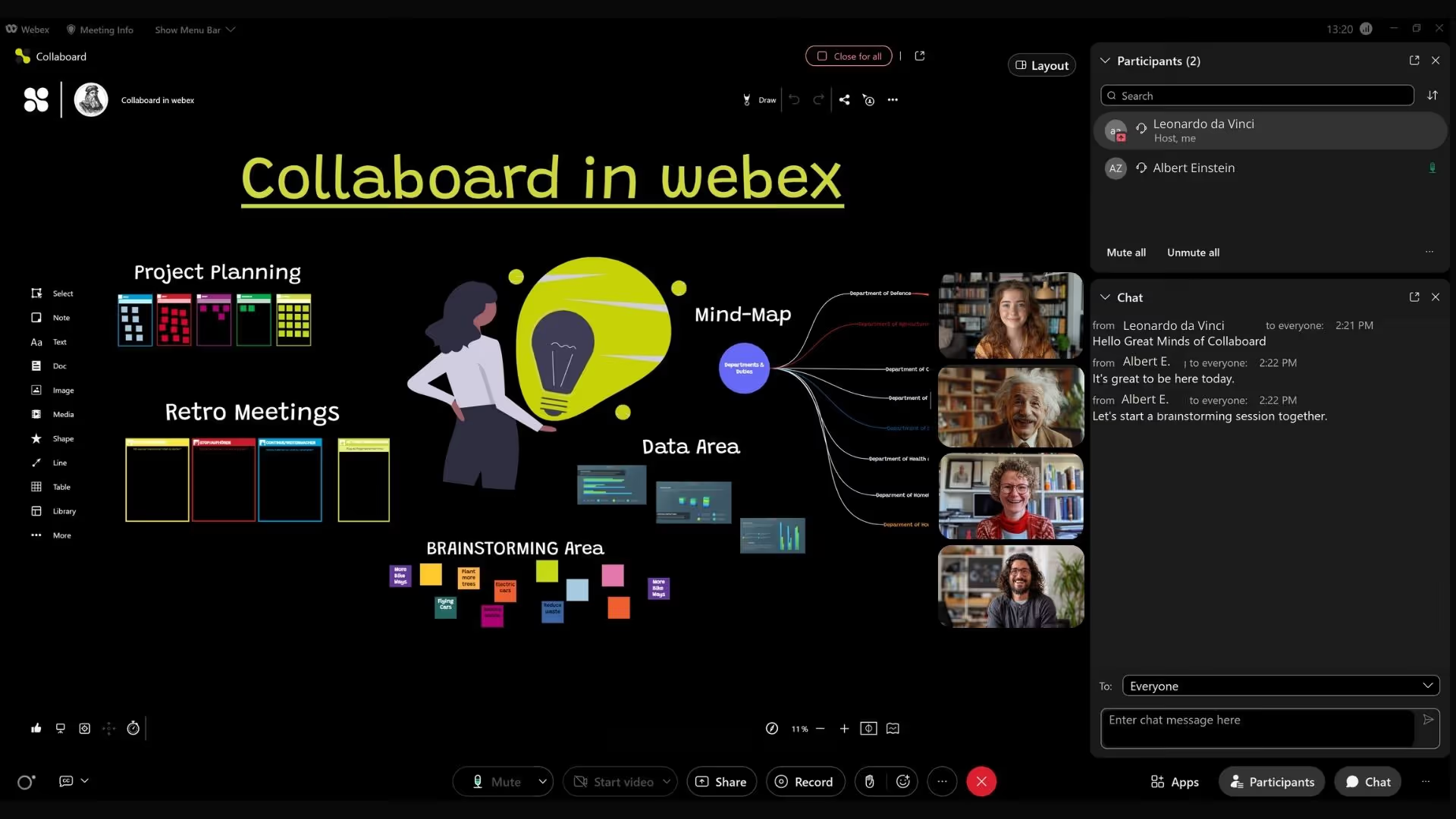
Use Collaboard Directly Within a Webex Meeting
In a Webex meeting, you can easily add Collaboard with just a few clicks and select a prepared board to share with all participants in the meeting.
Participants in your Webex meeting can join as registered users or as guests and collaborate on the whiteboard.
You'll find the same security features for sharing boards that you're already familiar with from Collaboard.
When you start Collaboard in Webex, the whiteboard is embedded, and simultaneously, you can see the participants via video and use the chat.
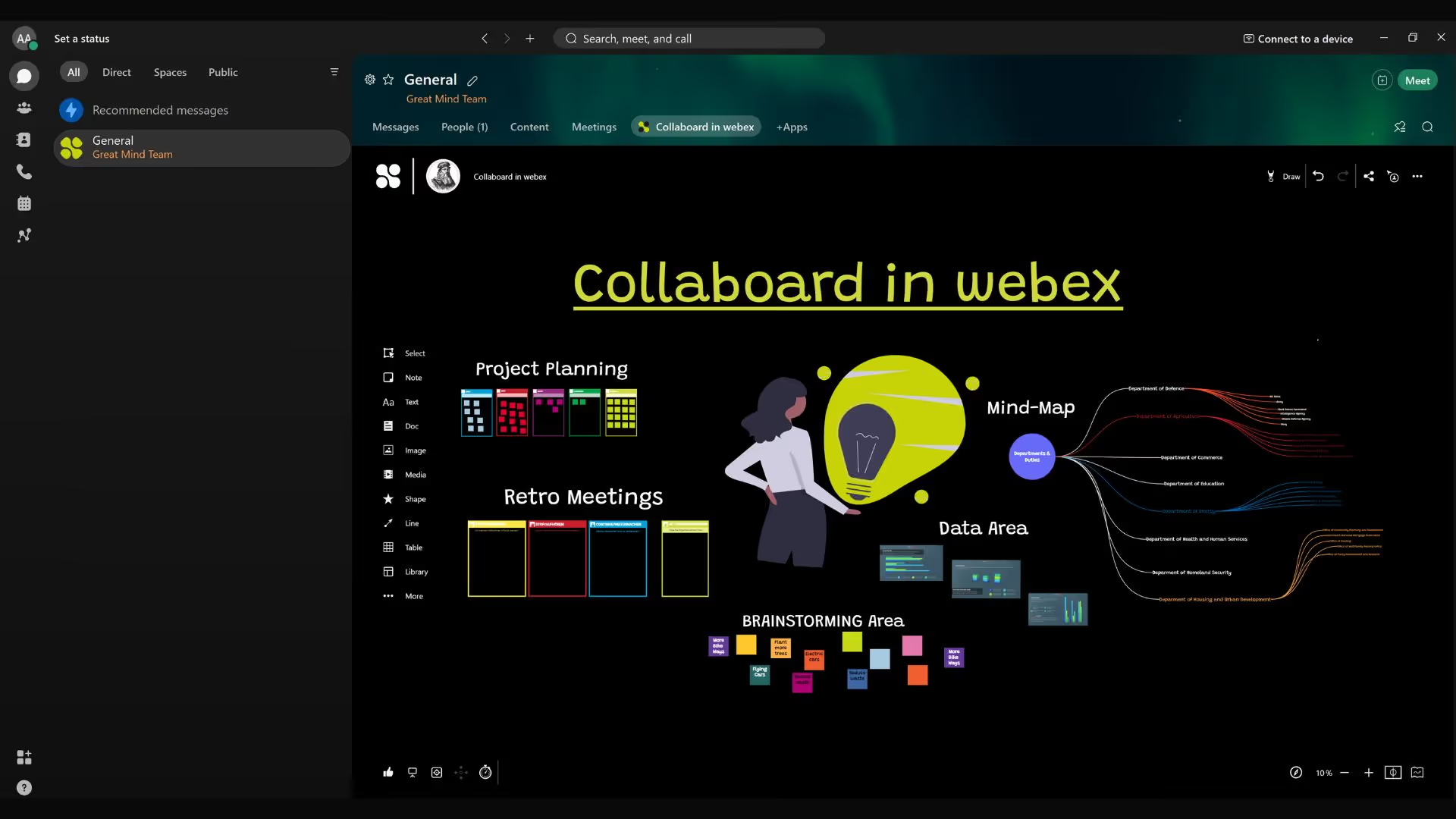
Add Whiteboards as Tabs to a Space
Add a Collaboard to your workspace as a tab. This makes the board available to all members of a "Space". You can also add multiple boards as tabs per "Space".
Enhance your workspace with Collaboard to promote dynamic visual collaboration in real-time alongside existing content and chats.
Using the Collaboard Whiteboard on the Cisco Board.
Utilize Collaboard on the Cisco Board and other Cisco hardware. The web app is optimized for use with a stylus and touch on large interactive displays.
.avif)
On This Page

Test Collaboard for 14 days free of charge
Immerse yourself in the breathtaking experience of smooth moderation - whether in meetings or brainstorming sessions. And the best thing? You can try it all for free!
Start your next whiteboard now
Get a free trial of Collaboard with up to 3 boards and five people per session. All key features are available for you to try out.

