Collaboard as a Brainstorming Tool: How to Collect Ideas Visually and in a Structured Way
The best ideas? They often strike spontaneously — in the middle of a conversation, on the go, or during the wrong meeting. But without the right place to capture and develop them, they quickly fade away.
That’s where a good brainstorming tool comes in: It gives you structure, clarity, and space to collaborate — instantly and from anywhere.
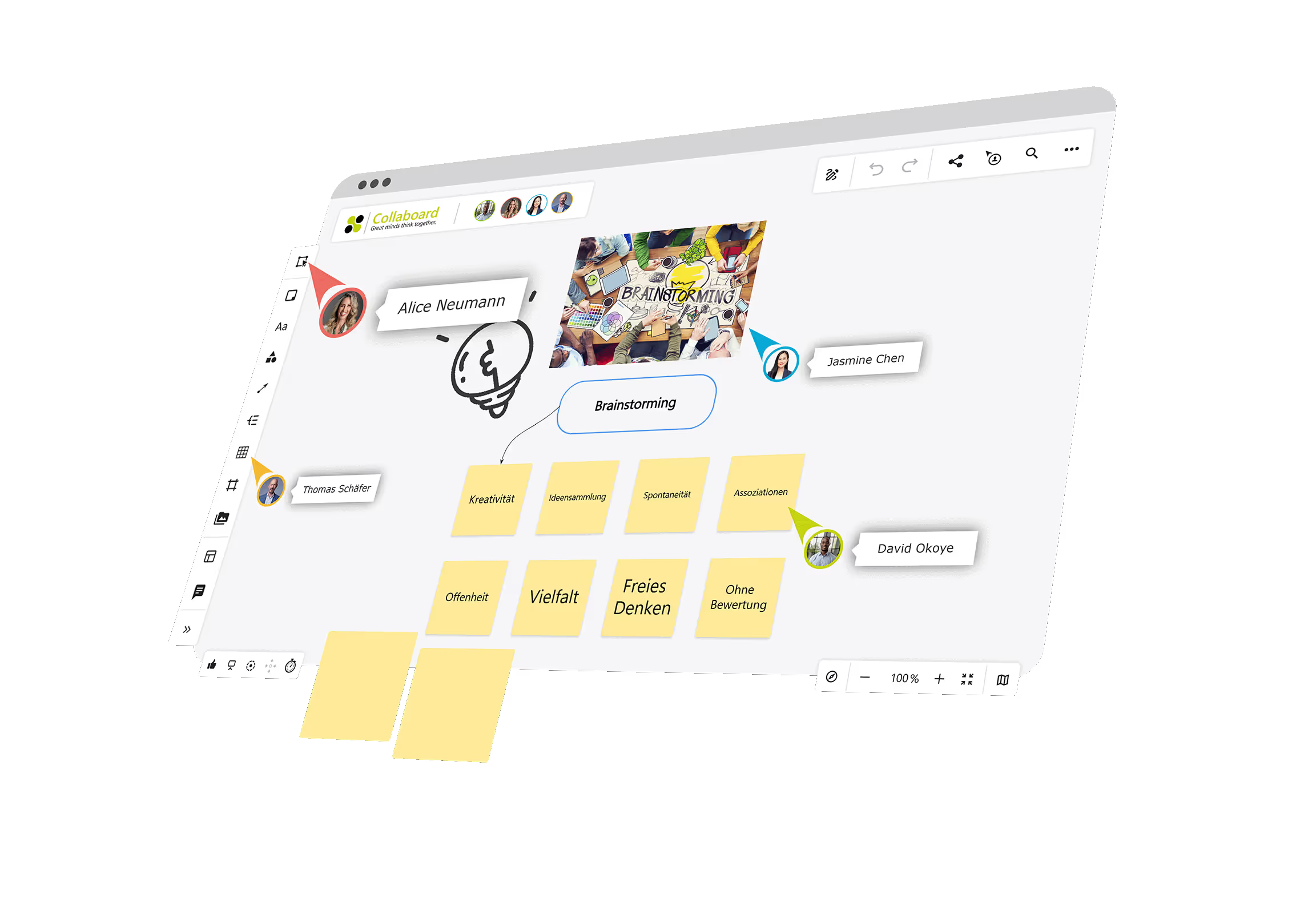
How Collaboard Supports Your Brainstorming Sessions
Whether you're brainstorming solo or getting creative with your team — Collaboard helps you think visually and stay organized, no matter where you are. Its clean interface and intuitive design let you focus entirely on your ideas.
Brainstorming with Collaboard is useful in many scenarios, from quick bursts of inspiration to long-term planning:
- Working solo: Use Collaboard like a digital notebook. Capture your initial thoughts, move them around later, and organize them by category.
- Team meeting in the office: Share your screen or open the board together on tablets or laptops. Everyone writes at the same time, sparking spontaneous discussions.
- Remote workshop: Invite external participants via link. Whether you're using Microsoft Teams or Zoom, everyone can contribute and collaborate in real time.
How Online Brainstorming Works with Collaboard
With just a few clicks, you can launch your first brainstorming session. No prior experience, no software installation, and no steep learning curve required.
Step-by-Step to Structured Brainstorming:
- Choose a template: Start with the right setup – mind map, grid, or freeform space. You'll find the templates right in Collaboard’s start menu.
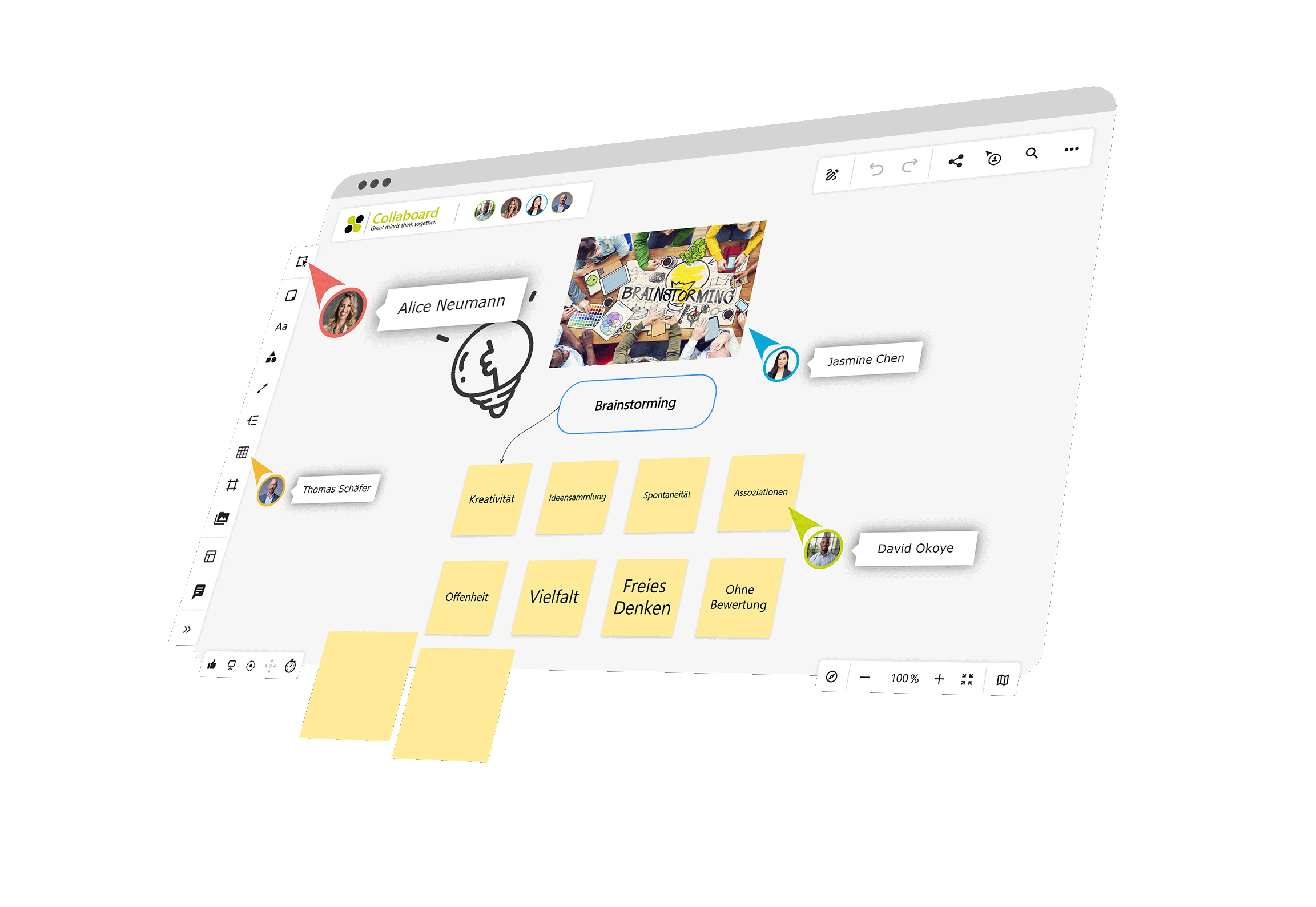
- Collect ideas: Add sticky notes, images, text, or links. Everything can be moved via drag-and-drop. Even spontaneous thoughts can be added instantly with a double-click.
- Organize contributions: Group related notes, sort them by topic, and use color coding for clarity. A clear structure quickly takes shape.
- Evaluate ideas: Use the built-in voting feature. Each participant assigns points to their favorite suggestions. The results are calculated and displayed in real time.
- Plan next steps: Switch to presentation mode, export your board as a PDF or PNG, or continue working together live – on-site or remotely.
Other Helpful Features:
- Timer: Keeps speaking time or working phases on track – perfect for structured workshops.
- Presentation mode: Focuses attention on specific parts of the board during reviews or team discussions.
- Guest access: Let external collaborators join without needing to create an account.
Collaboard as a Free Online Brainstorming Tool – Key Benefits at a Glance
With Collaboard, you can collect ideas quickly, clearly, and collaboratively — no matter where your team is working.
The online whiteboard gives you everything you need for effective brainstorming.
Whether you use it as a digital pinboard, a visual idea hub, or the foundation for your next project steps — Collaboard brings structure to creative processes.
These advantages make Collaboard a powerful brainstorming app:
- Visual workspace: Use digital sticky notes, sketches, images, files, or shapes to bring your ideas to life.
- Real-time collaboration: Everyone can work together on the same board — location-independent and directly in the browser.
- Easy idea sorting: Organize your content with drag and drop. Group notes, highlight themes with colors, or connect them using lines and arrows.
- Built-in feedback tools: Use comments and integrated voting to evaluate suggestions directly within the board.
- Accessible for everyone: You control who can collaborate or just view. Participation is possible even without registration.
- Secure and GDPR-compliant: Work in full compliance with data protection regulations. Choose whether your board is hosted in the cloud or on your own servers.
Templates for your brainstorming: Start quickly, work with structure
When you start a brainstorming session, you don’t want to waste time — and that’s exactly why Collaboard offers ready-to-use templates. They help you capture ideas right away, structure them clearly, and develop them further as a team.
With just a few clicks, you can open the right brainstorming template, add your content, and collaborate with others in real time. Whether you’re planning a simple idea collection or looking for fresh perspectives — Collaboard has the perfect template to support your goals.
Mind Map Template
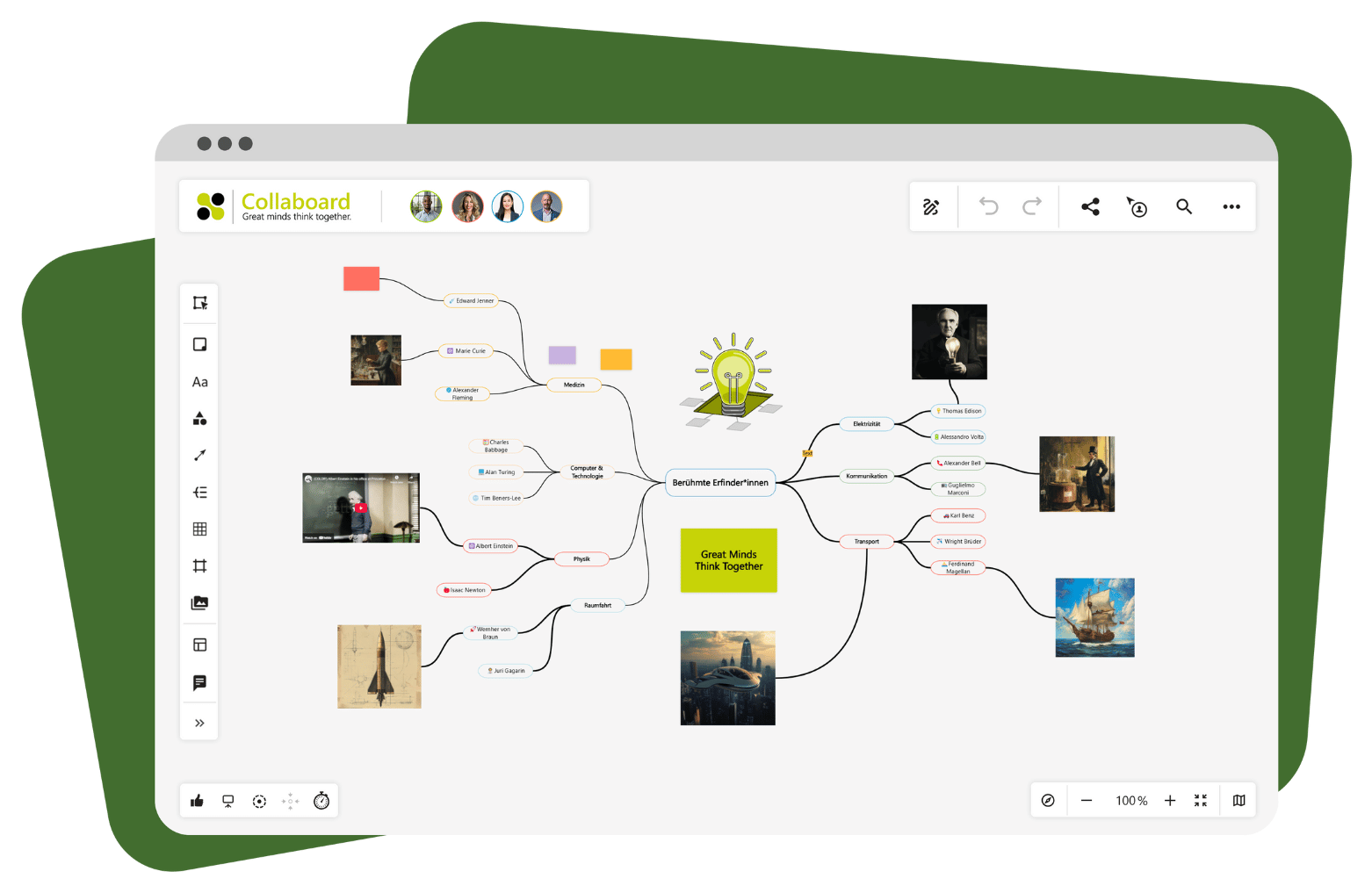
If you want to visually develop a central idea, the mind map template offers the perfect framework. Start in the center and branch out with related subtopics, ideas, or arguments.
With the help of colors, symbols, and connecting lines, you’ll instantly see relationships and can add new content at any time.
Reverse Brainstorming Template
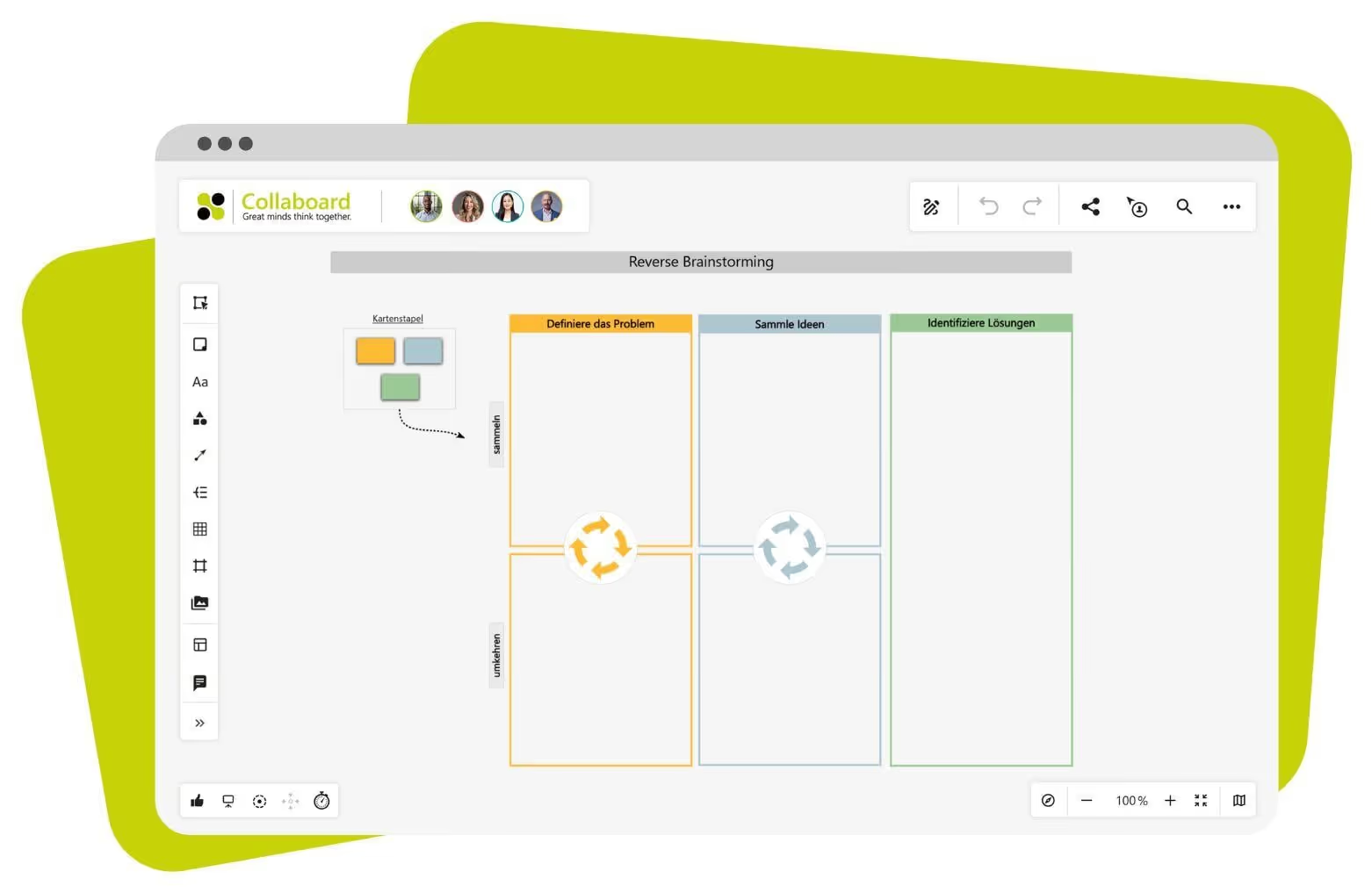
Here, you look at a problem from a completely different angle: instead of searching for solutions, you explore how the situation could be made worse.
It may sound unusual, but this often leads to fresh perspectives. In the second step, you turn these "negative" ideas into constructive actions.
Go to Reverse Brainstorming Template
6-3-5 Brainwriting Template
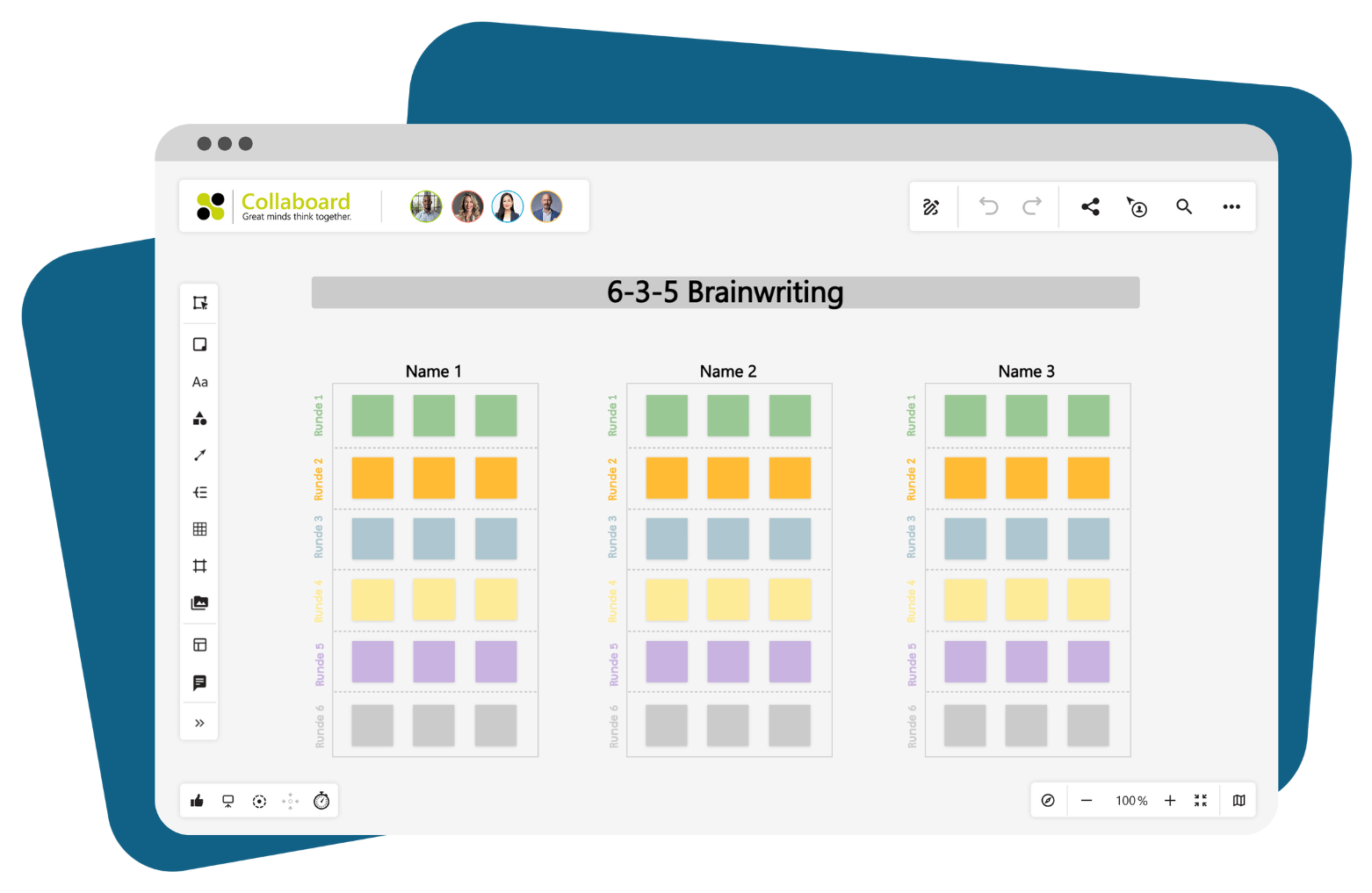
This method is perfect for structured group work. Six participants each write down three ideas within five minutes. Then the sheet is passed on, and the next person builds on those ideas.
The template in Collaboard comes with the entire process pre-set — saving you time and letting you focus fully on the content.
Go to 6-3-5 Brainwriting Template
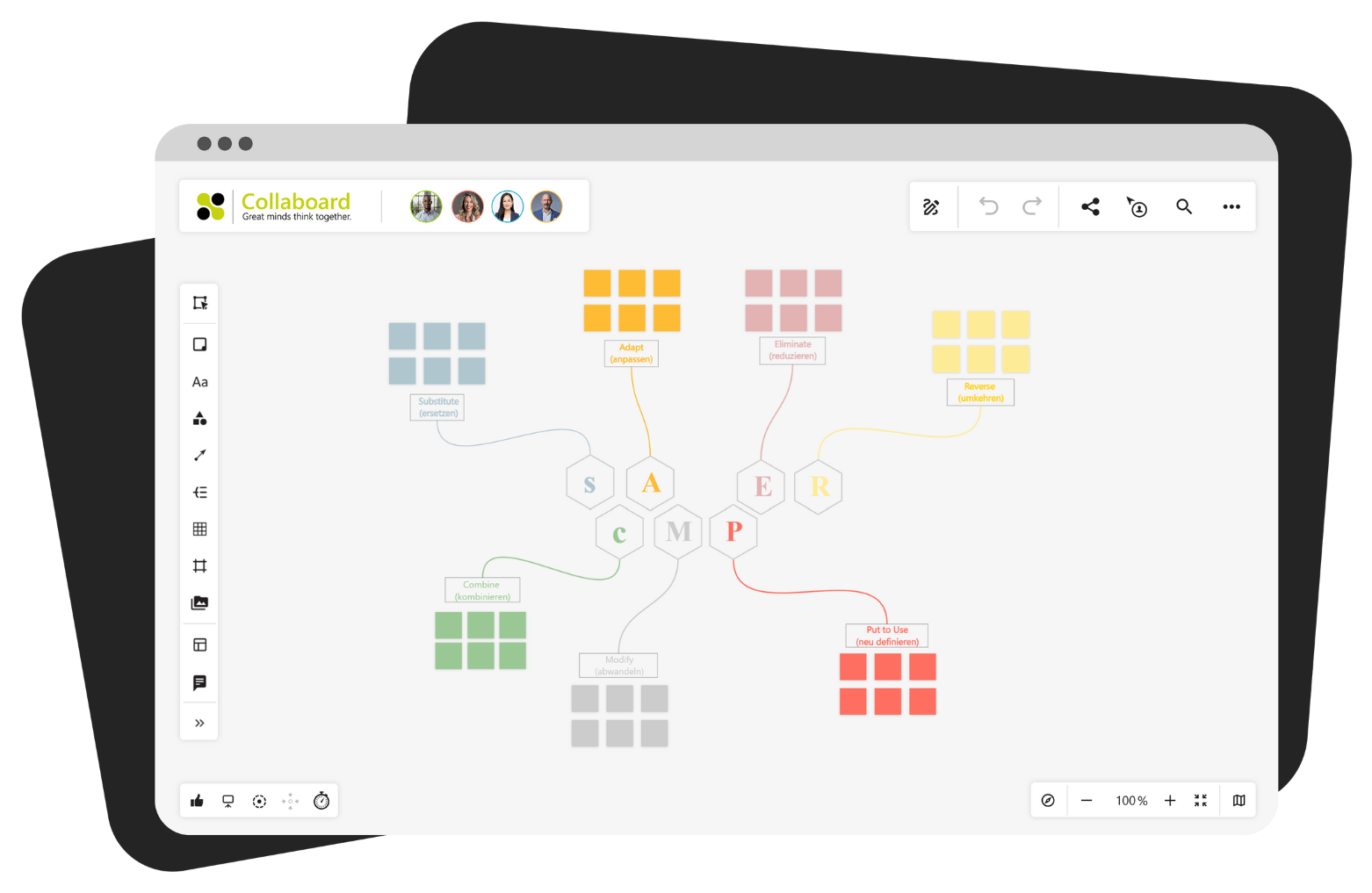
SCAMPER Template
With SCAMPER, you explore an existing idea from seven different angles: Substitute, Combine, Adapt, Modify, Put to other use, Eliminate, Reverse. The template guides you through each of these steps.
It’s a powerful way to systematically refine and expand ideas — ideal for product development, campaign planning, or improving existing processes.
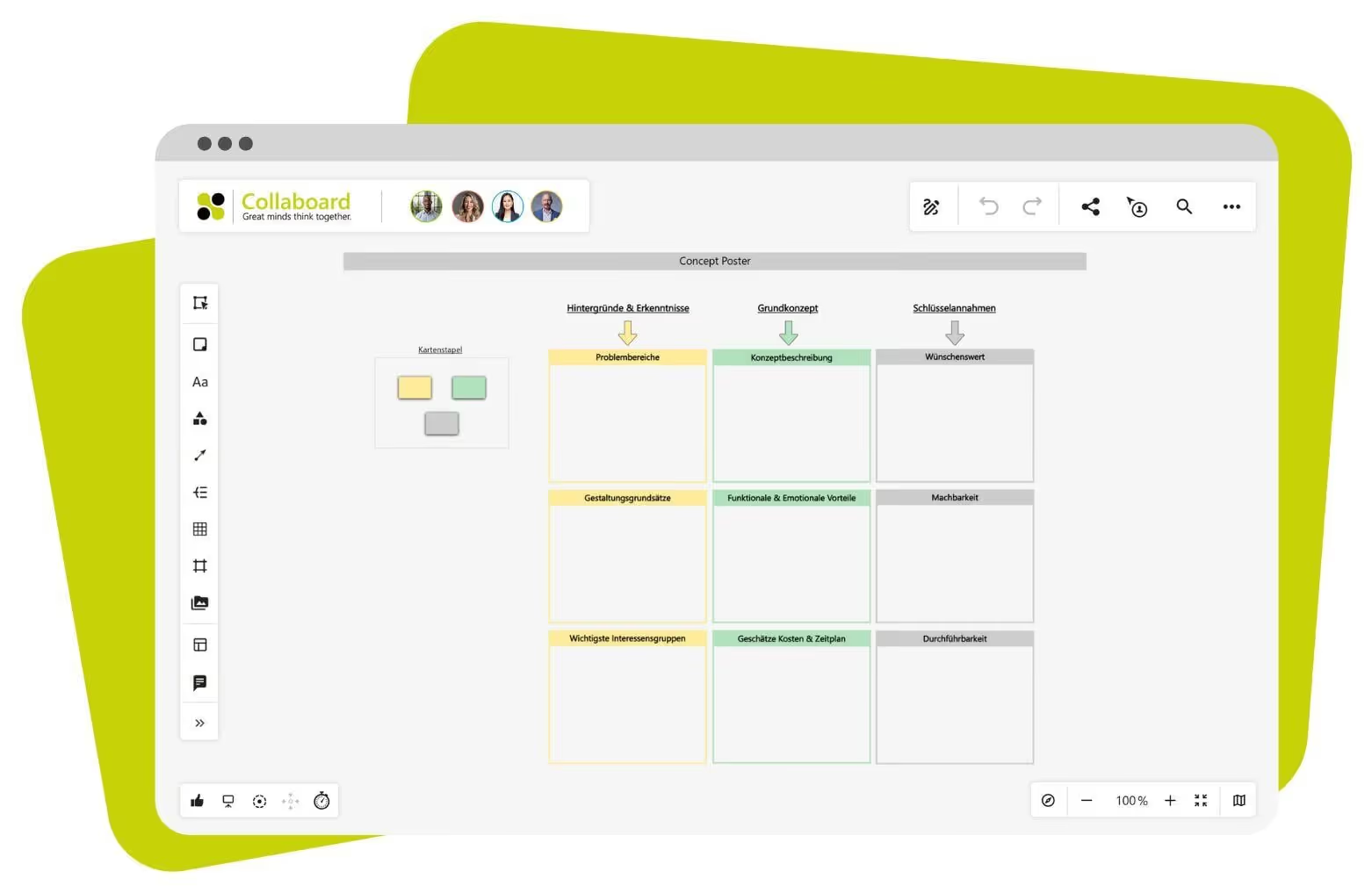
Concept Poster Template
Das Concept Poster bringt neue Ideen kompakt auf den Punkt. Die Vorlage gliedert Deine Gedanken in feste Bereiche wie Ziel, Nutzen, Zielgruppe oder nächste Schritte.
So kannst Du schnell prüfen, ob eine Idee tragfähig ist oder ob noch etwas fehlt.
Collaboard as a Web-Based Brainstorming Tool – Practical Use Cases
Whether you're an agency, a public institution, or an internationally distributed project team — with Collaboard, brainstorming becomes easy, secure, and practical.
Thanks to powerful features and flexible self-hosting options, you can tailor the tool to perfectly match your environment.
Workshop with a Remote Team
A distributed team is planning a new project. Everyone joins a video call while the whiteboard runs in parallel. Each participant adds ideas live to the board. Sticky notes, sketches, and documents make the process tangible. The facilitator uses presentation mode and keeps things on track with the integrated timer. At the end, the team votes on the best ideas and prioritizes them instantly.
Result: All ideas are captured, everyone is included, and collaboration is location-independent and transparent.
Idea Collection at a Project Kickoff
At the start of a new product initiative, the team uses Collaboard to gather expectations and objectives. Ideas are grouped thematically — for example: target groups, risks, and opportunities. This helps everyone stay on the same page. All contributions are instantly visible and can be commented on or expanded.
Result: A shared understanding of the project goals emerges quickly, visually, and without long email threads.
Creative Brainstorming in an Agency
During the concept phase of a campaign, the agency uses Collaboard’s brainstorming board to collect graphics, video ideas, sketches, and slogans. Early visual drafts are created using the drawing tools. The board later serves as a foundation for the client presentation.
Result: The creative process becomes visible, trackable, and can continue at any time — no sticky note chaos required.
Get Started with Collaboard – It's Free
Collaboard gives you an online whiteboard that simplifies the entire brainstorming process.
Capture ideas visually, collaborate in real time, and make use of powerful features like templates, timers, comment fields, and voting tools. One of the best parts: your boards are fully customizable, exportable, and can be further developed with your team at any time.
You choose how to start your session — with a blank canvas, a structured mind map, or ready-to-use templates like SCAMPER or reverse brainstorming. Even complex group techniques such as 6-3-5 are easy to implement with Collaboard: no sticky notes, no chaos — just smooth, browser-based collaboration.
Thanks to GDPR-compliant hosting and self-hosting options, you always work the way that suits your security and data protection needs.
If you want to run your brainstorming sessions in a secure, clear, and structured way — Collaboard is the perfect tool for you.
On This Page
Start your next whiteboard now
Try Collaboard for free and convince yourself.
Collaboard as a Brainstorming Tool – Frequently Asked Questions
Do you have any questions? We're here to help.
A brainstorming tool like Collaboard helps you collect ideas digitally, visualize them and structure them collaboratively – all without paper, whiteboards or flipcharts. You work directly in the browser, can move, comment on and export content: anytime and from anywhere.
All invited participants work simultaneously on the same board – in real time, regardless of location and without any software installation. Thanks to comments, the voting feature and presentation mode, even larger teams maintain a clear overview.
Yes, you can use Collaboard like a digital notebook to sort initial thoughts or map out complex connections graphically. Your ideas can be further developed collaboratively at any time or shared with the team.
Yes, Collaboard offers over 200 templates – from mind maps to the SCAMPER method. This means you can get started right away without having to create your own layout first.
You decide whether your data is stored in the cloud, on your own servers or in a private infrastructure. Collaboard is fully GDPR-compliant.
Yes, you can invite external people via a link, with or without registration. Guest access can be specifically activated and restricted so that you retain full control over your project.
Yes, you can use Collaboard free of charge. The free version allows a limited number of projects and participants – ideal for getting started or for smaller teams.
Start your next whiteboard now
Get a free trial of Collaboard with up to 3 boards and five people per session. All key features are available for you to try out.


